
A PE PDH tracker for every license, hour, and proof file.
Organize multi-state PE license renewal records without separating PDH totals, ethics categories, course documents, and historical CPC ledgers.
One engineering course can support more than one license
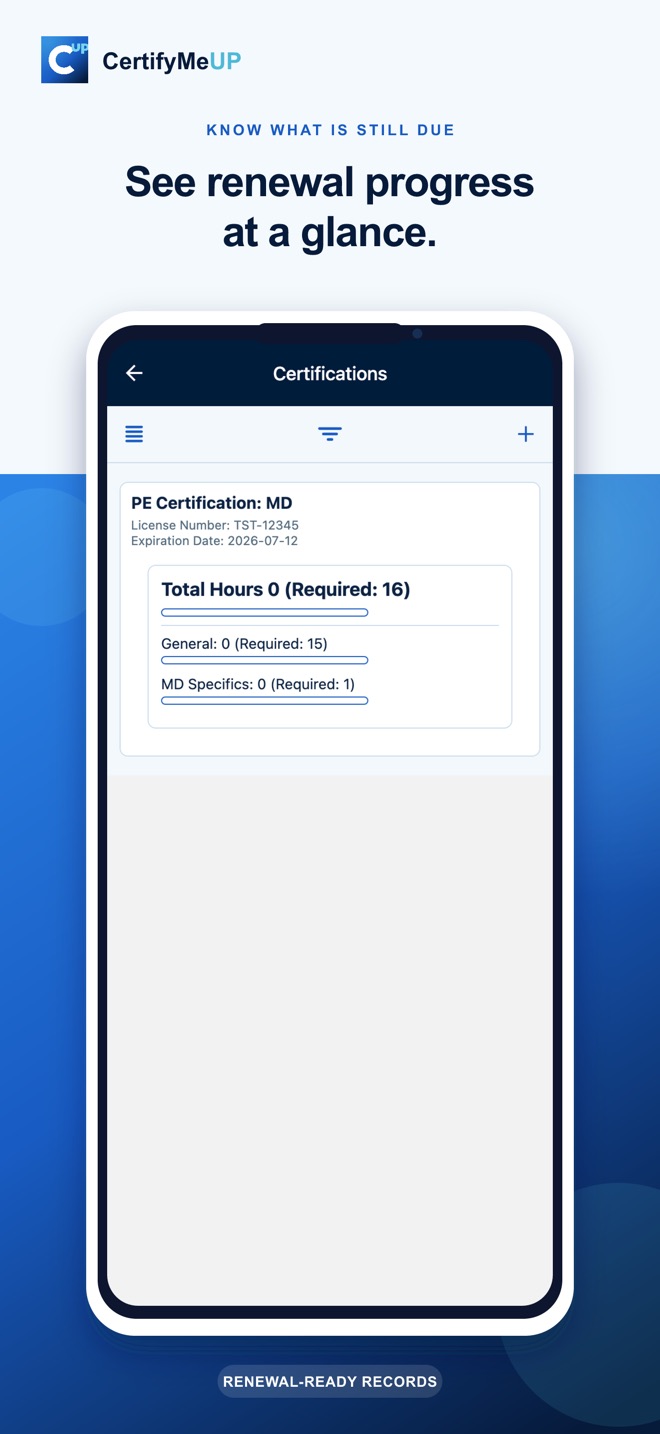
Multi-state Professional Engineers often face overlapping requirements and different renewal periods. CertifyMeUp lets you record an activity once, attach the supporting file, and connect the log to each PE credential it supports.
- Create separate state-license records
- Track license numbers and renewal dates
- Connect one training log to multiple credentials
- Review hours by requirement category
- Preserve completed renewal periods
Build the audit record while the training is fresh
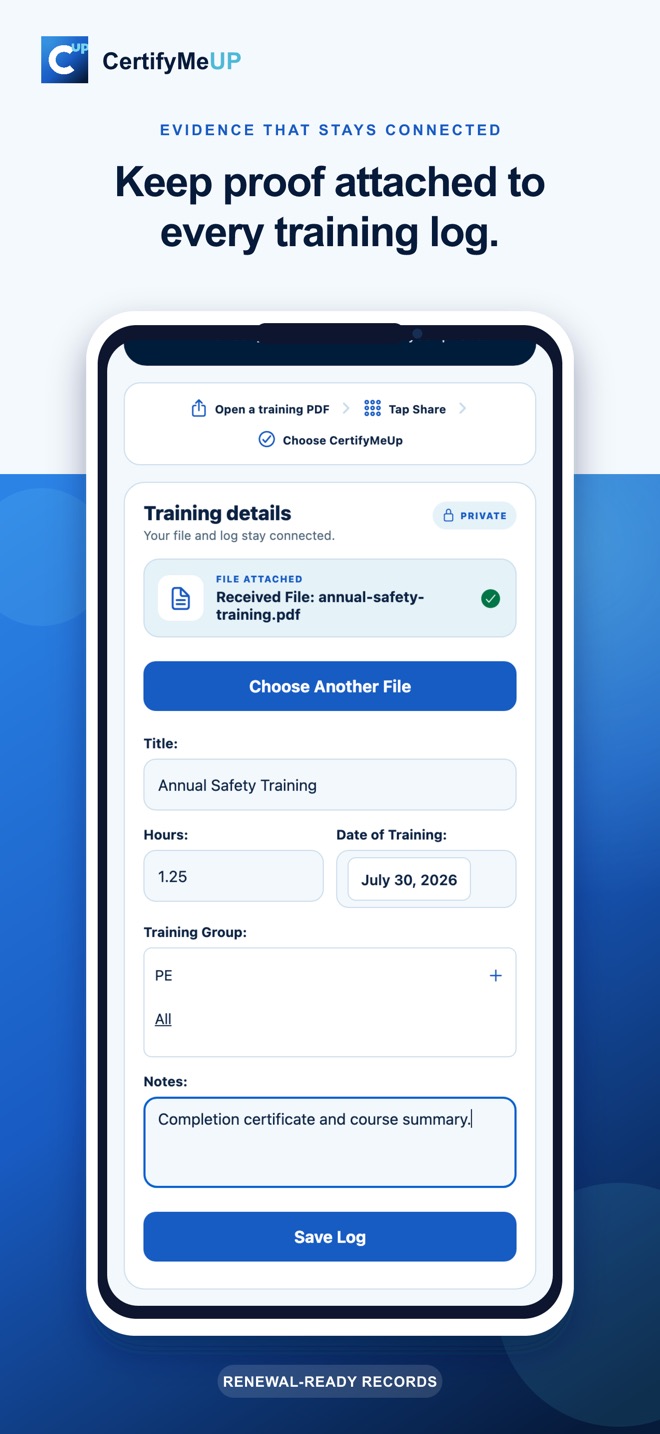
A clean PDH log is more useful when the supporting certificate or course file is available beside it. Share a PDF into CertifyMeUp, add the activity details, and keep the evidence attached to the same private record.
- Course title, date, hours, and notes
- General, ethics, and other available categories
- PDF and supported evidence-file attachment
- Renewal-period export with related records
What a useful PE PDH tracker should organize
A spreadsheet can total hours, but it rarely keeps the entire renewal story together. A dependable PE continuing-education record should show which license the activity supports, the applicable renewal period, the category used, the hours claimed, and the document behind the claim.
License and renewal context
Each PE credential may have its own renewal date, cycle, and continuing professional competency requirements. CertifyMeUp keeps separate certification records so you can review the current picture without overwriting previous renewal history.
PDH categories and reconciliation
Log training as it occurs, then reconcile those activities into the categories available for the selected credential. The ledger gives you a place to see total hours and category progress together.
Evidence retention
Boards can differ on the records they expect and how long those records must be retained. CertifyMeUp helps keep files connected and exportable, but you should confirm current retention rules directly with each board and maintain any additional backup your practice requires.
Historical ledgers and exports
When a renewal period closes, preserve the ledger instead of flattening it into a new spreadsheet tab. If a question appears later, reopen the historical record and export the ledger data, related training logs, and available evidence files.
Questions from multi-state engineers
Can one PDH activity count toward multiple PE licenses?
CertifyMeUp lets you connect one training activity to multiple certification records. Whether that activity is eligible for each license depends on the current rules of the applicable board.
Are state requirements automatically guaranteed to be current?
No. Requirement information is provided as organizational guidance. Rules change, so verify totals, categories, delivery-method limits, carryover, and retention requirements with each board before claiming credit.
Does CertifyMeUp replace a state board renewal portal?
No. CertifyMeUp organizes your records and evidence. Final reporting and renewal still occur through the applicable board or official portal.
Can I export a renewal record?
Yes. You can export ledger data, related training logs, and available evidence files in a downloadable bundle.
Stop rebuilding your PE renewal history.
Start a connected PDH record before the next course certificate disappears into another folder.